
Your accounts
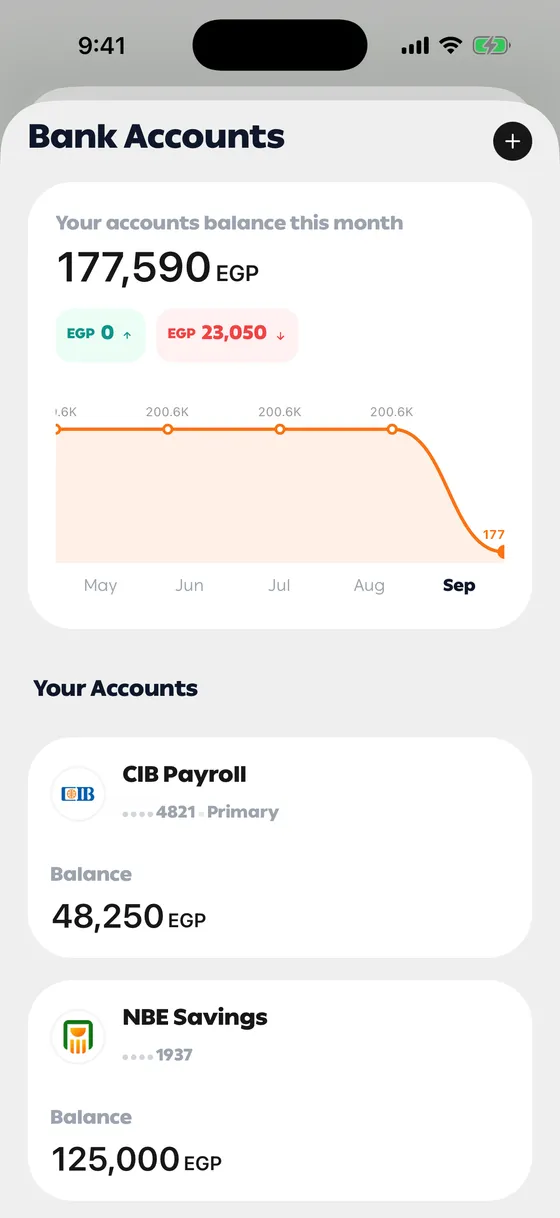
An account in MoneyLoop is anywhere your money sits: a bank account, a credit card, a mobile wallet, or the cash in your pocket. Every transaction belongs to one.
Adding an account
Section titled “Adding an account”- From Home, slide across your account cards to the + card, or open Bank Accounts and tap Add Account.
- Pick the type at the top: Bank, Credit Card, Cash or E-Wallet.
- Choose the bank or wallet from the list.
- Give it an Account Name — whatever you call it yourself, like “Payroll”.
- Enter the Current Balance as your bank shows it right now.
- Add the Account Ending (4 digits). It’s optional, but it’s how the app knows which account a bank message belongs to.
Account types
Section titled “Account types”| Type | Use it for |
|---|---|
| Bank | A current or savings account |
| Credit Card | A card you spend on and pay off later |
| Cash | The money in your hand |
| E-Wallet | A wallet on your phone |
You start with two accounts already there: a Cash one and a general one for anything not tied to a specific account. Neither can be deleted.
The account screen
Section titled “The account screen”Tap any account to open it. Inside you’ll find its balance, money in and out, a chart of the balance over time, and its recent transactions.
From the same screen you can:
- Edit Account — the name, type, last four digits, currency.
- Edit Balance — when your bank’s figure and the app’s have drifted apart.
- Set as Primary — the account used when you add a transaction without naming one.
- Include in net worth — leave it out of your totals without deleting it.
Deleting an account
Section titled “Deleting an account”From the account screen, Delete Account. That removes the account and every transaction attached to it, so take a moment first. The two built-in accounts can’t be deleted.
- Name accounts for yourself, not the way the bank does. “Payroll” beats anything official.
- Add the last four digits to every account. Without them, transactions coming from messages won’t know where to land.
Common problems
Section titled “Common problems”Transactions land in the wrong account — check the last four digits on both accounts; usually one is repeated or missing.
An account appeared on its own — that happens when a message arrives from an account number the app hasn’t seen. If it’s really the same account, join them from Linking duplicate accounts.
The balance is off — see Correcting a balance.