
Price alerts
You shouldn’t have to open the app daily to see what gold did. Set the movement that matters to you, and the app tells you when it happens.
Turning it on
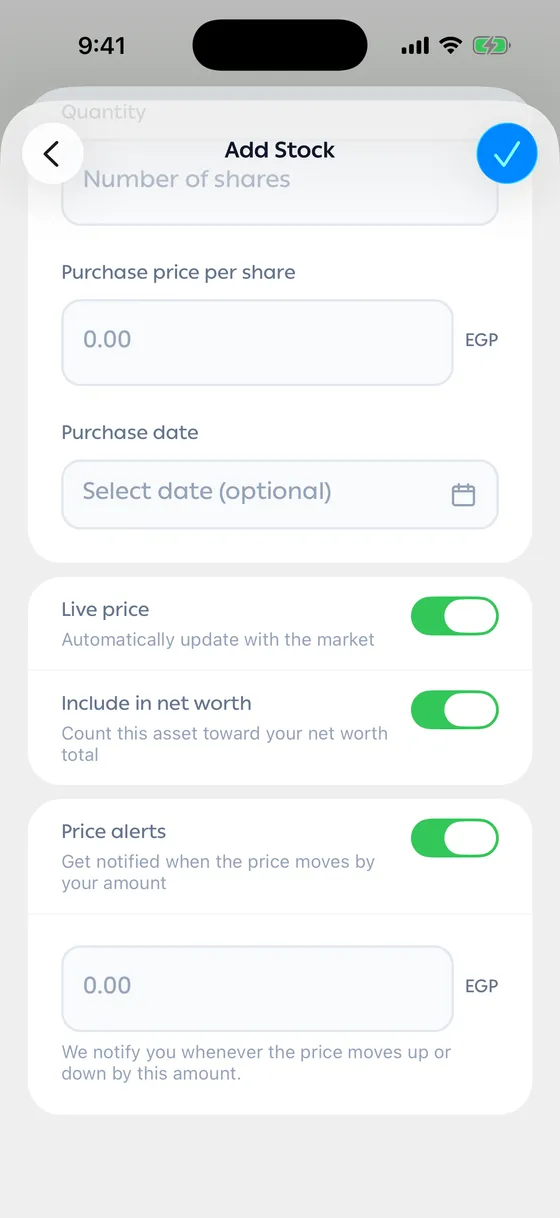
Section titled “Turning it on”- Open the asset and tap edit, or set it while you’re adding it.
- Turn on Price alerts.
- Enter the amount of movement that should reach you.
- Save.
You’re notified whether the price moves up or down by that much.
Turning it off
Section titled “Turning it off”Flip the same switch any time. The asset stays in your portfolio as normal.
- Start with a larger amount. A small one sends alerts constantly and you stop reading them.
- Set alerts on what you’re actually thinking of selling or adding to, not on everything you own.
Common problems
Section titled “Common problems”No alerts are arriving — check that the app’s notifications are allowed in your phone’s settings.
Too many alerts — raise the amount.