
Managing your subscription
PremiumUnder Account → My subscription.
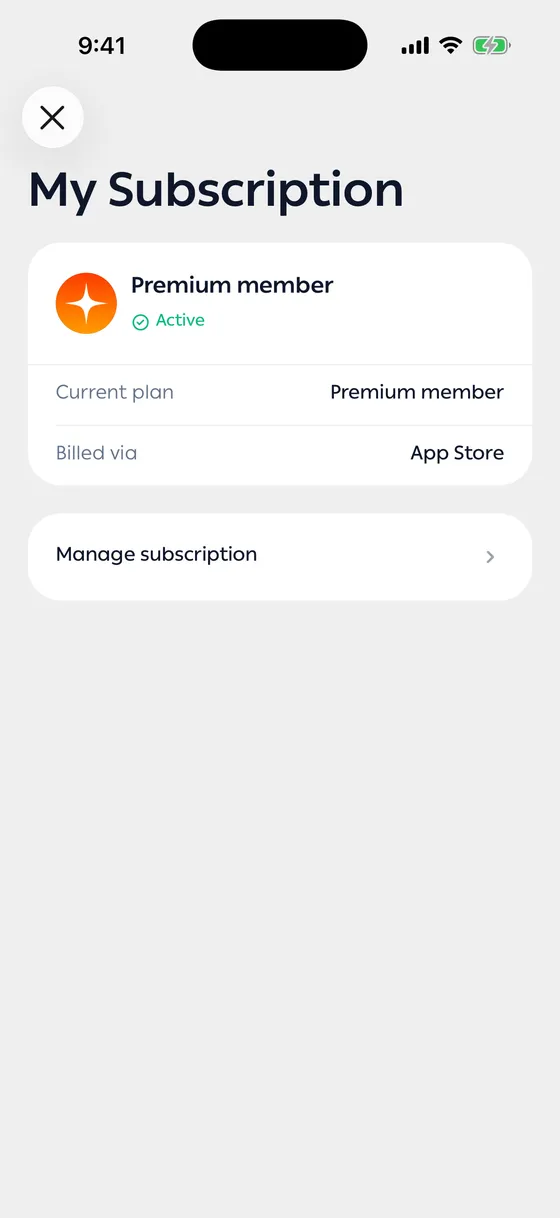
What you see
Section titled “What you see”- Status — active or not.
- Current plan — monthly, yearly, or a trial.
- Expires on — when it renews or ends.
- Billed via — the store or payment method you subscribed through.
Moving to yearly
Section titled “Moving to yearly”If you’re on monthly, you’ll see an offer to switch to yearly. It costs less over time and you pay once a year.
Stopping or changing it
Section titled “Stopping or changing it”Manage subscription takes you to wherever you subscribed.
After cancelling you stay on Premium until the expiry date shown, then return to the free plan. All your data stays exactly as it is.
- Check the expiry date before deciding. If there are only days left, use them out first.
Common problems
Section titled “Common problems”I subscribed and the app still treats me as free — close the app and open it again. If it persists, write to us from Support.
I can’t find the subscription in the store — make sure you’re signed in with the account you paid with.