
Search and filters
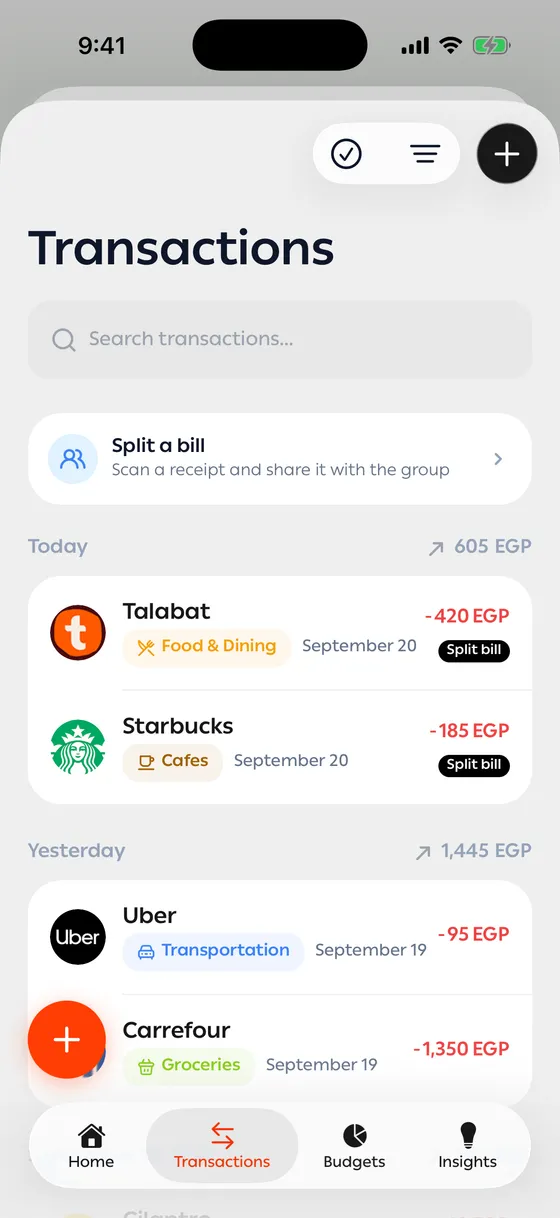
Limited on the free planThe transactions screen shows everything, newest first, grouped by day. Older ones load as you scroll.
Searching
Section titled “Searching”Type in the search box at the top. It looks through merchant names, descriptions and notes.
Filters
Section titled “Filters”Tap the filter button to open the options:
| Filter | Choices |
|---|---|
| Period | Ready-made ranges, or Custom with a from and to date |
| Type | All · Income · Expenses · Transfers |
| Category | One or several |
| Account | One or several |
| Tags | The tags you’ve added yourself |
Active filters appear as a row at the top, and you can drop any of them with a tap. Clear All brings the whole list back.
Totals
Section titled “Totals”With any filter on, you get the total in and out for what’s in front of you — so you can see what a category cost you over a period without opening Insights.
- A custom date range beats the ready-made ones when you’re reviewing a particular month.
- Tap any merchant to see everything you’ve spent with them in one place.
Common problems
Section titled “Common problems”No results — there’s a filter on that you’ve forgotten. Check the row at the top and tap Clear All.
I can’t find an old transaction — widen the period. If it’s older than the free history window, it’ll be blurred.