
Apartments, cars and other assets
Limited on the free planGold and stocks have a market price. An apartment, a car or your share in a family business doesn’t — you’re the one who knows what it’s worth. These assets take the value you give them, and can estimate how it moves in between.
The four kinds
Section titled “The four kinds”- Apartment or land — you own it fully or in part.
- Car — any vehicle you own.
- Business — the value of your share in a business, not the income it brings.
- Something else you own — art, watches, equipment, anything of value. Pick an icon for it under its name.
Add one
Section titled “Add one”- Open your portfolio and tap Add Asset.
- Pick the kind.
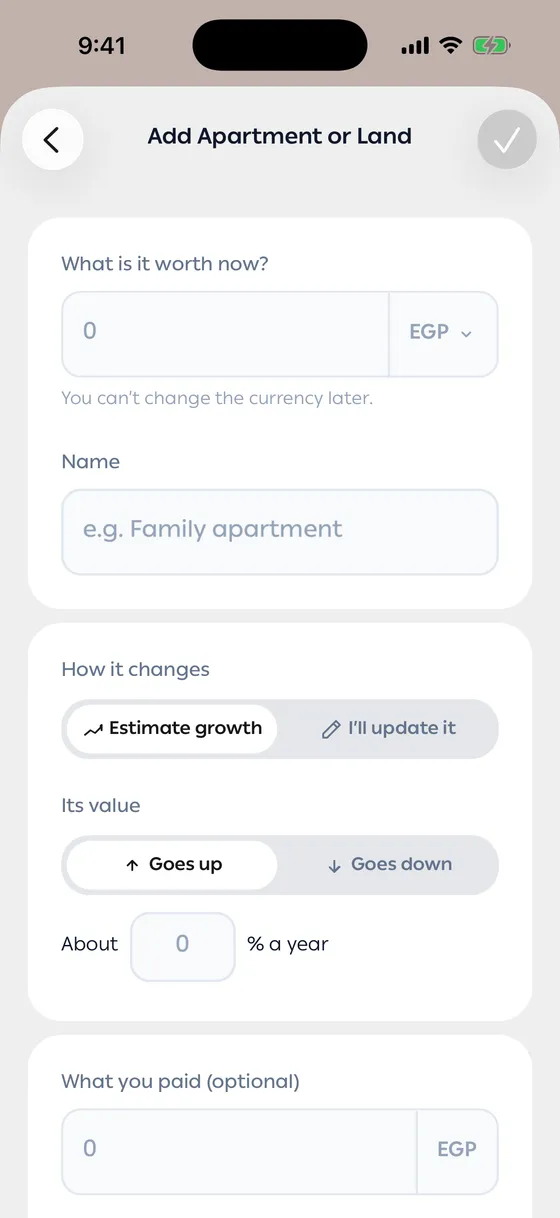
- Enter What is it worth now? with its currency — the currency can’t change later — and give it a name.
- Under How it changes, choose how the value moves (see below).
- Add What you paid and a note if you like — both are optional — and save.
How the value moves
Section titled “How the value moves”- Estimate growth — choose Goes up or Goes down and type about how much a year. The app works out today’s value from the last one you recorded, and Value in a year shows where it’s heading.
- I’ll update it — the value stays exactly what you recorded. Under Remind me, pick every month, 3 months or 6 months to get a reminder, or Never.
When an update is due, the asset shows Update due in your list.
Record today’s value
Section titled “Record today’s value”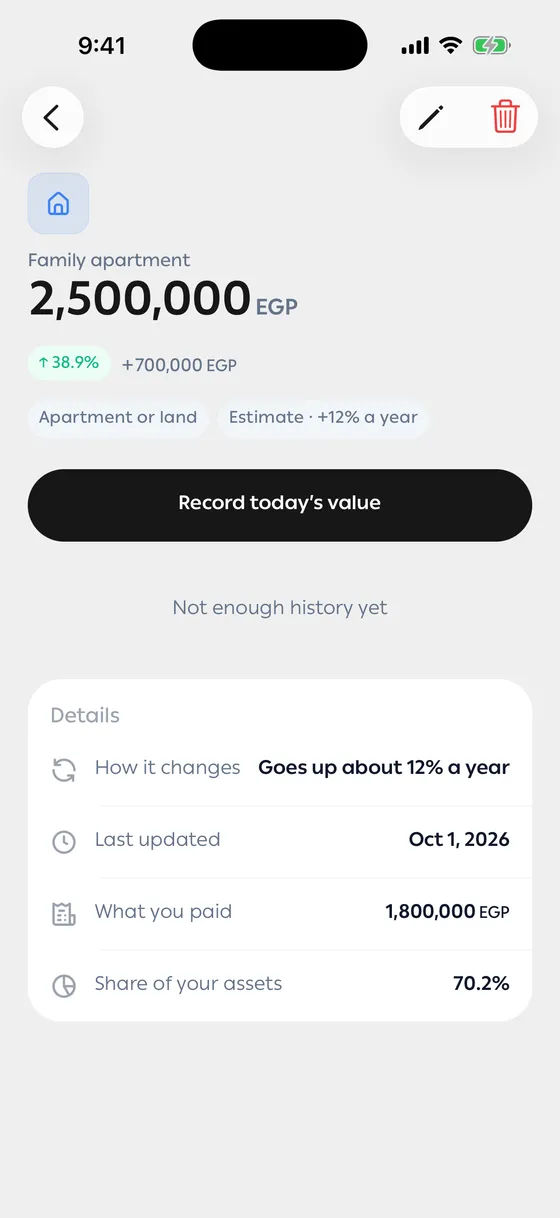
Open the asset and tap Record today’s value, then enter what it’s worth now. The new value replaces any estimate from today on, and the chart on the asset’s screen grows with each value you record on a different day.
In your portfolio and net worth
Section titled “In your portfolio and net worth”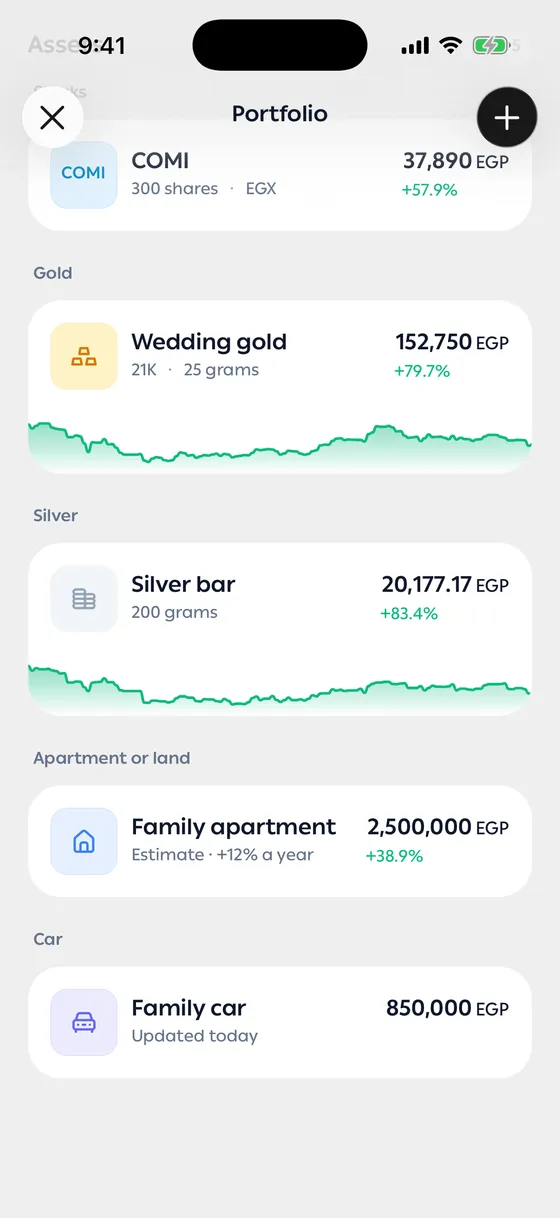
Your assets list is grouped by kind — stocks, gold and silver first, then the kinds you value yourself — with the biggest value on top in each group. An asset in another currency shows its value in your main currency, with its own currency in brackets underneath — the same as on its screen. These assets count toward your net worth like any other; turn off Include in net worth on one to leave it out.
- Use a realistic value — what it would sell for today, not what you hope for.
- For an estimate, a small yearly rate is safer. Recording the real value now and then keeps it honest.
Common problems
Section titled “Common problems”There’s no chart — a chart needs values on two different days. Recording twice on the same day replaces the first value.
I can’t change the currency — it’s fixed once the asset is added. Delete it and add it again in the right currency.