
Editing and deleting
Limited on the free planTap any transaction — on Home or in your transactions list — to open its details.
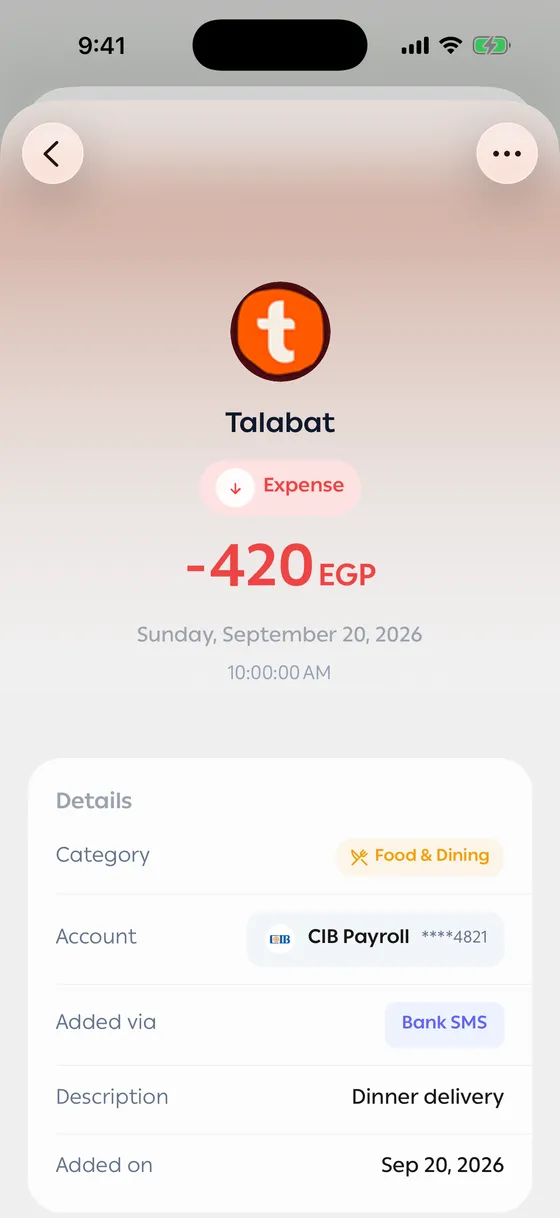
What you see
Section titled “What you see”The amount, merchant, category and date, the account it landed in, and how it got there (a bank message, or you). If it came from a message, Original Message is there so you can compare.
Editing
Section titled “Editing”Tap Edit Transaction, change what you need, and save. Anything you change flows into your balances and budgets right away.
You can also:
- Add a note.
- Add tags, to group transactions that don’t share a category.
- Attach a receipt image.
- Turn off Include in budget when the spending isn’t really yours.
Duplicating
Section titled “Duplicating”Duplicate Transaction copies the details into a new one. Handy for things that repeat often but don’t deserve a recurring payment.
Deleting
Section titled “Deleting”Delete Transaction removes it for good — there’s no undo. Your balance adjusts straight after.
- Rather than deleting a transaction that came through wrong, edit it and report it — that improves future readings too. See Reporting a wrong transaction.
- Tags are useful for things no category covers, like a trip or an occasion.
Common problems
Section titled “Common problems”I changed the amount and the balance didn’t move — give it a few seconds; it’s worked out on our side.
I can’t find a transaction — use search and filters in Search and filters. If it’s older than the free history window, it’ll be blurred.