
Splitting a bill
Limited on the free planEvery night out ends in arithmetic. Splitting settles it: the app works out each person’s share and gives you a link to send the group — they open it, see what they owe, and pay you back.
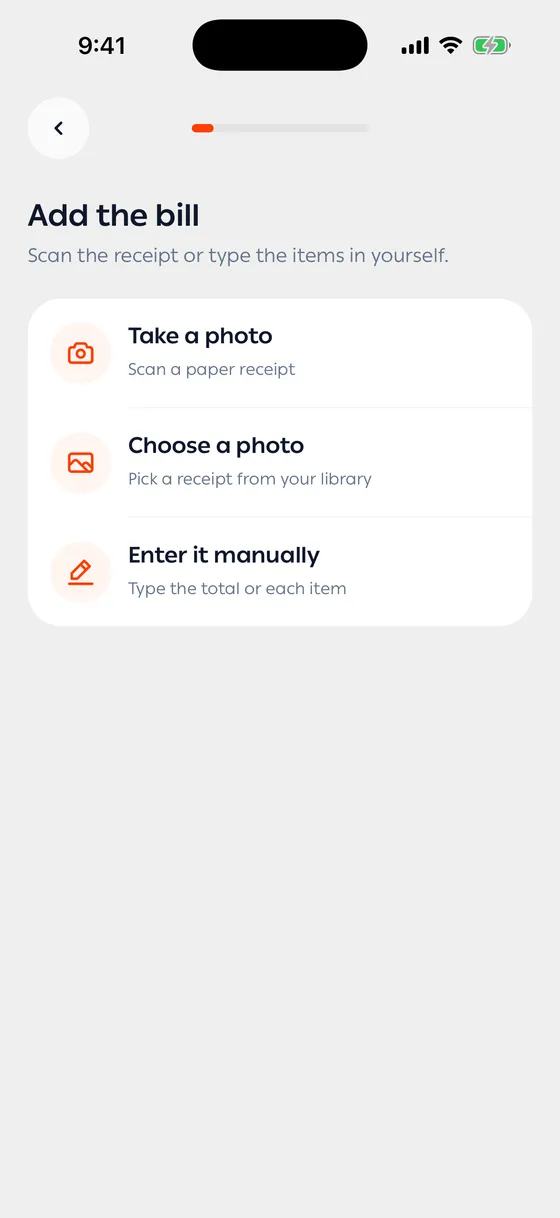
The steps
Section titled “The steps”- Add the bill — photograph it, pick a photo from your library, or type the items yourself.
- Check the bill — fix anything read wrong, then set Tax and Service. For a discount, put a minus sign in the Other field.
- Who is splitting? — how many people and their names, counting yourself. Save the group if you go out together often.
- How to split — evenly, by item, or let everyone choose on the link.
- Tax and service — by share, evenly, or you cover it.
- How they pay you — cash or transfer. For a transfer, enter the address they’ll send to.
- The link — send it to the group.
The three methods
Section titled “The three methods”| Method | When |
|---|---|
| Split evenly | Everyone had roughly the same |
| Split by item | You know who had what |
| Let them choose | You don’t — let them pick on the link |
With Let them choose, anything nobody claims stays on you.
After you send the link
Section titled “After you send the link”You can follow who’s paid from Following a split.
- Scanning works best with the receipt flat and well lit.
- Save the group you go out with most — it skips a step every time.
- Add a note to the link so people remember which night it was.
Common problems
Section titled “Common problems”The receipt wasn’t read well — add the items by hand on the check screen; the rest carries on as normal.
I forgot someone — while the split is open you can still edit it.
The numbers look wrong — check tax and service; how they’re divided makes a real difference.