
Budgets
Limited on the free planA budget is a limit you set yourself on one kind of spending over a period. The app tells you where you stand halfway through the month, not after you’ve gone past.
Creating one
Section titled “Creating one”- Open Budgets and tap Create Budget.
- Give it a name and an icon.
- Set the Spending Limit.
- Choose the Budget Period: monthly, weekly, one-time, or a cycle of your own.
- Pick the Categories to Track — one or several.
- Save.
What you see
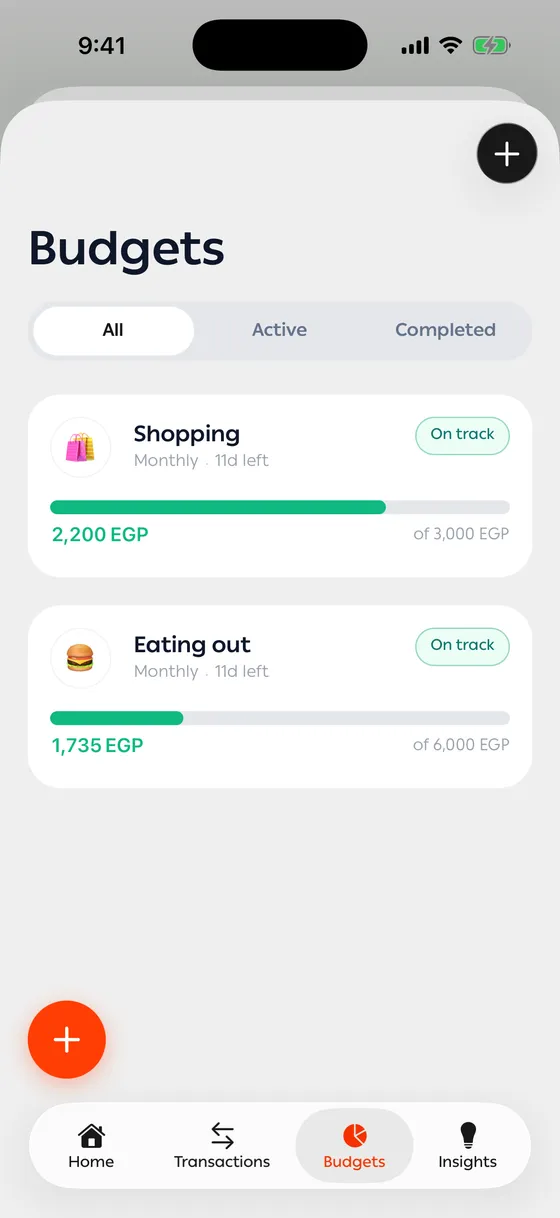
Section titled “What you see”Each budget card shows what you’ve spent of the limit, what’s left, and how many days remain in the cycle. The colour moves from On track to Almost there to Over Budget.
Inside, there’s more: your daily burn, the daily amount that would see you through the cycle, and every transaction counted in it.
Renewal
Section titled “Renewal”At the end of each cycle a new one starts from zero and the old one is kept. Budget Cycles lets you look back at how each one went.
Shared budgets
Section titled “Shared budgets”You can share a budget with someone in your family, so you spend against the same limit and both see it.
Leaving a transaction out
Section titled “Leaving a transaction out”Any transaction can have Include in budget turned off, so it’s recorded without counting. See Editing and deleting.
- Start with one budget on whatever you spend most on. Three from day one get ignored.
- Make the limit realistic. An impossible one is broken in week one and then stops being looked at.
Common problems
Section titled “Common problems”I spent and it wasn’t counted — the transaction’s category isn’t one the budget tracks, or it’s excluded.
My budget went back to zero — the cycle renewed. The old one is under Budget Cycles.