
Building your plan
Limited on the free planThe plan reads one month of your money — what comes in, what goes out, what you’ve set aside and what you owe — gives it a score, and tells you what to do first. It takes about two minutes.
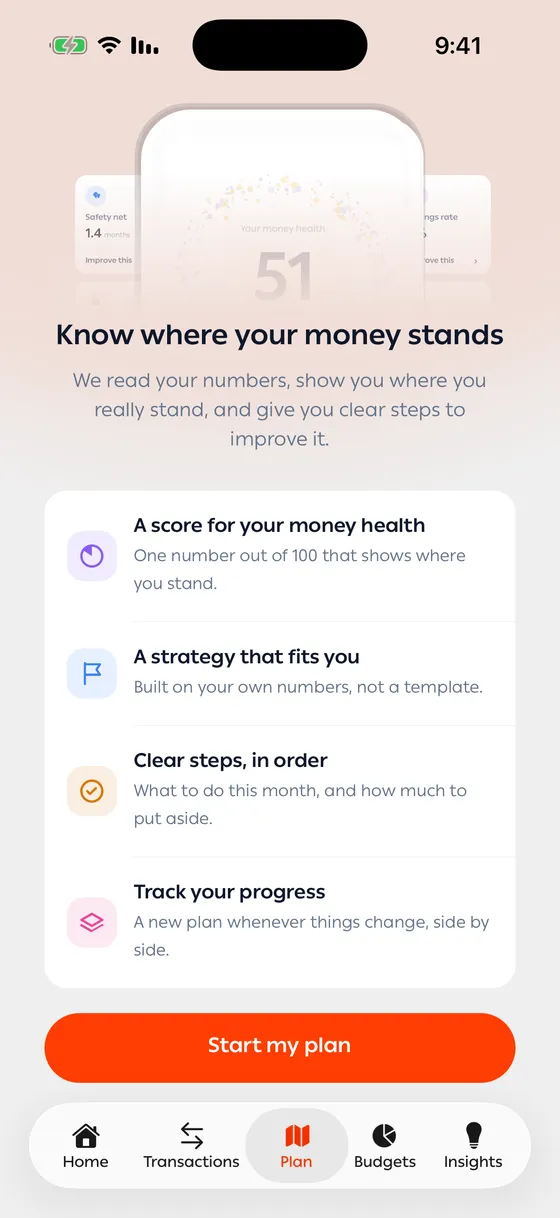
Starting
Section titled “Starting”- Open the Plan tab in the middle of the bottom bar.
- Tap Start my plan.
- Answer each question and tap Next.
- On the last question, tap Build my plan.
Home also shows a Plan your month card, once. Its Build my plan button takes you to the same place.
The questions
Section titled “The questions”One question per page, in this order:
- How do you earn?
- How does your income arrive?
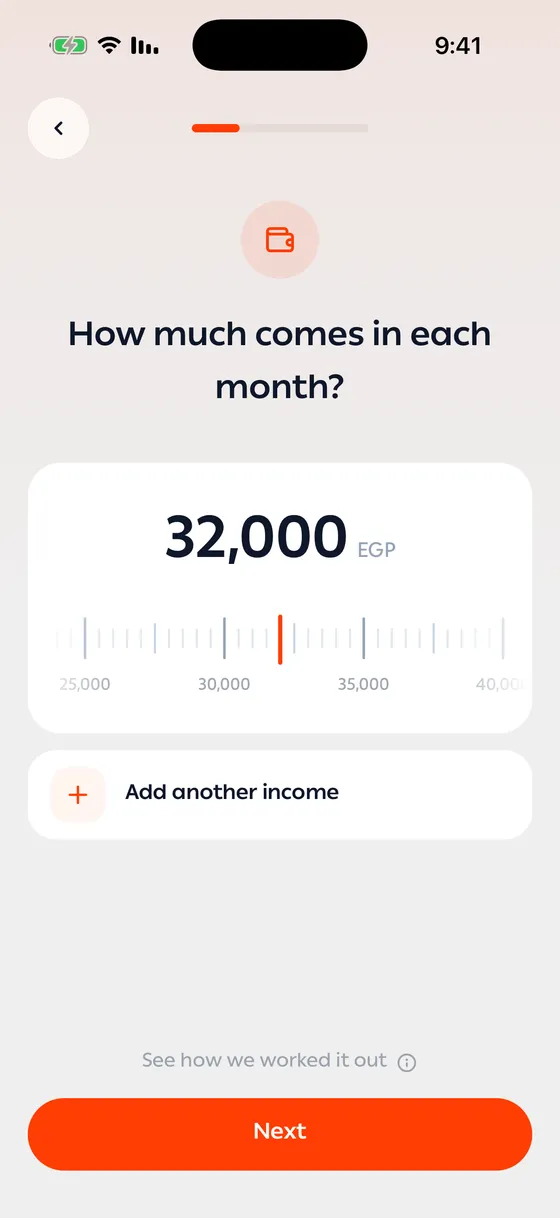
- How much comes in each month?
- How much do you have set aside?
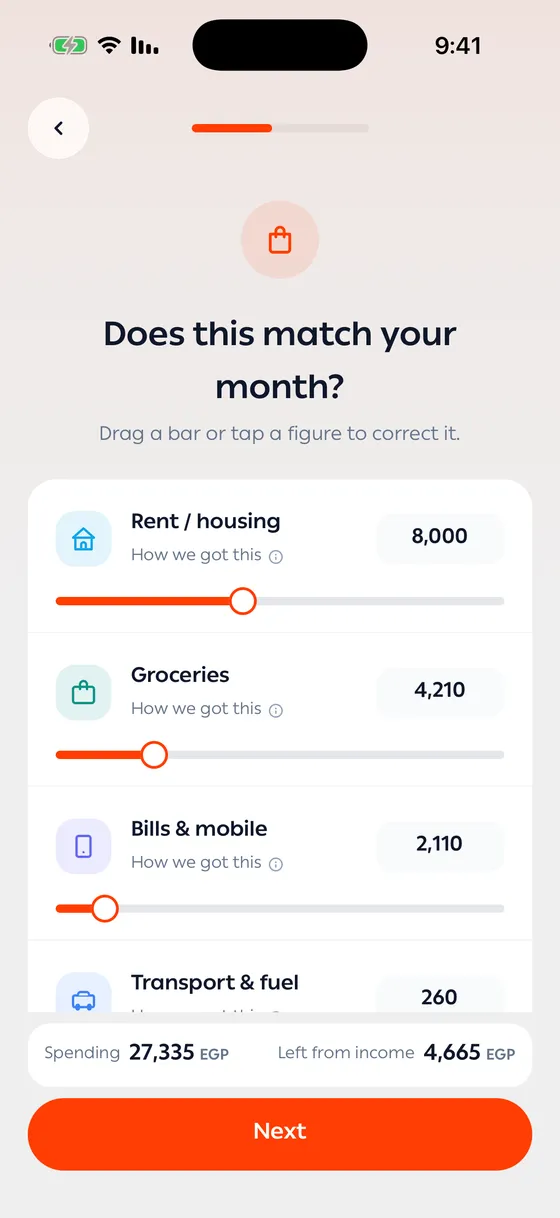
- Does this match your month?
- Which of these still renew?
- Are you paying anything off?
- Do you invest each month? — and if you do, how much.
- Where do you live?
- Who depends on your income?
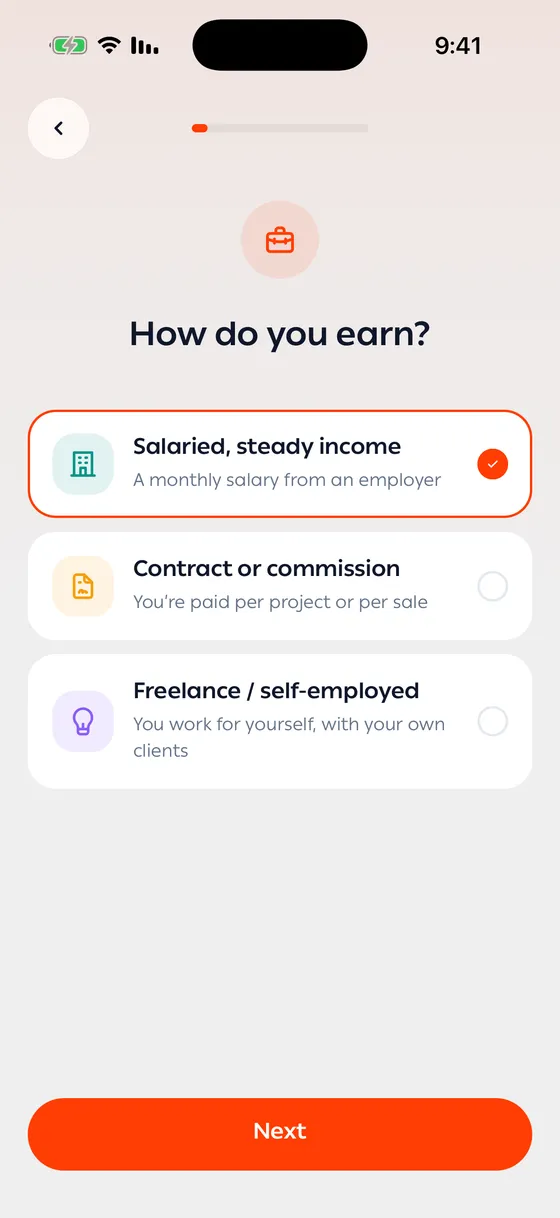
The chevron at the top takes you back a page without losing your answers.
Most answers come filled in
Section titled “Most answers come filled in”The app reads your transactions, accounts, subscriptions and debts, so most pages arrive with a number already in place. Your job is to check it, not type it.
- Amounts — drag the ruler, or tap the number and type. Add another income covers a second source.
- Does this match your month? — your spending by category. Drag a bar or tap a figure to correct it. The bottom of the page shows Spending and Left from income as you go.
- Which of these still renew? — untick anything you’ve cancelled. Add one we missed covers the rest.
- Are you paying anything off? — loans and instalments, and money you owe people. Use Add a loan or instalment or Add money you owe someone for anything missing.
How a number was worked out
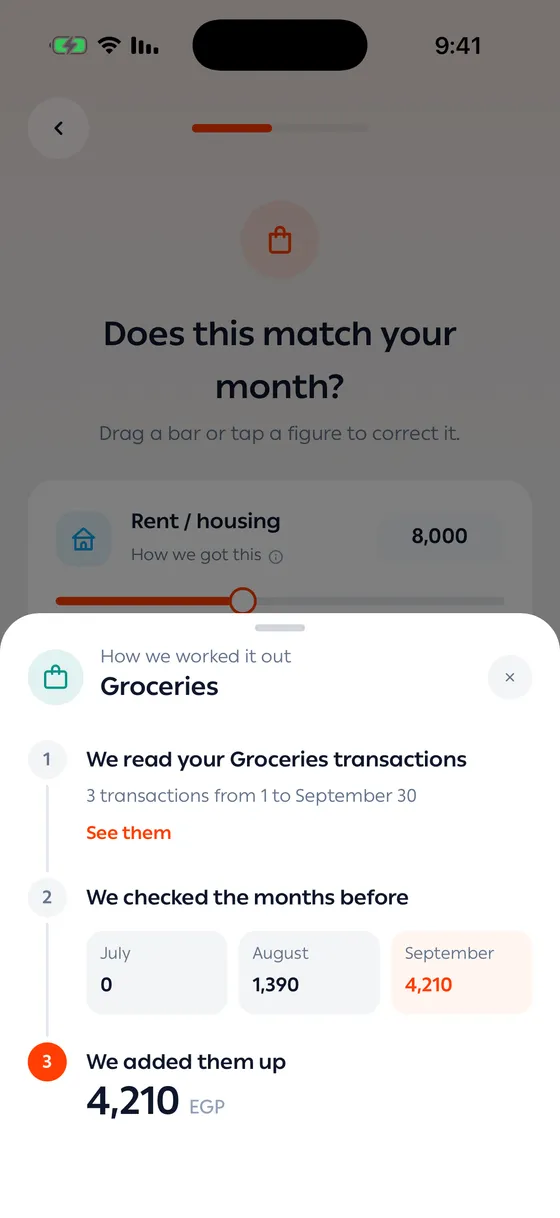
Section titled “How a number was worked out”Under a figure, tap See how we worked it out (on the spending page it’s How we got this). A sheet shows the transactions it read, the months it checked, and how it added them up. See them opens the transactions themselves.
Before the result
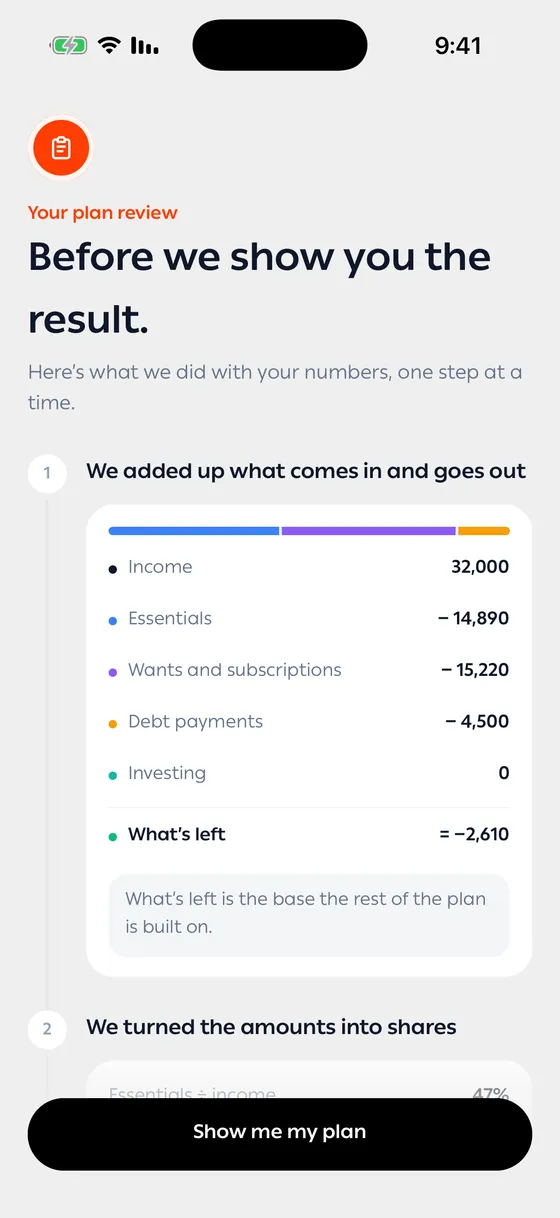
Section titled “Before the result”After Build my plan, you see what was done with your numbers, one step at a time: what comes in and goes out, each amount as a share of your income, your safety net, each number against its benchmark, and the strategy that fits you. Tap Show me my plan to see the result.
What comes next is in Reading your plan.
- The plan is only as good as what you’ve recorded. Add a missing account or income before you start, and the figures arrive closer to the truth.
- A month with very little history gets an estimate instead of a reading. The sheet under the figure says when that happened.
Common problems
Section titled “Common problems”I don’t see the Plan tab — update the app to the latest version.
Next is greyed out — the page needs an answer first.
A figure is wrong — correct it on that page. Your correction is what the plan uses.