
Reading your plan
Limited on the free planYour plan opens on one number, then shows how your income should be split and what to do first. Everything below it shows its working.
Your money health
Section titled “Your money health”The top of the plan is a score out of 100, with a level: Excellent, Good, Fair or Needs attention.
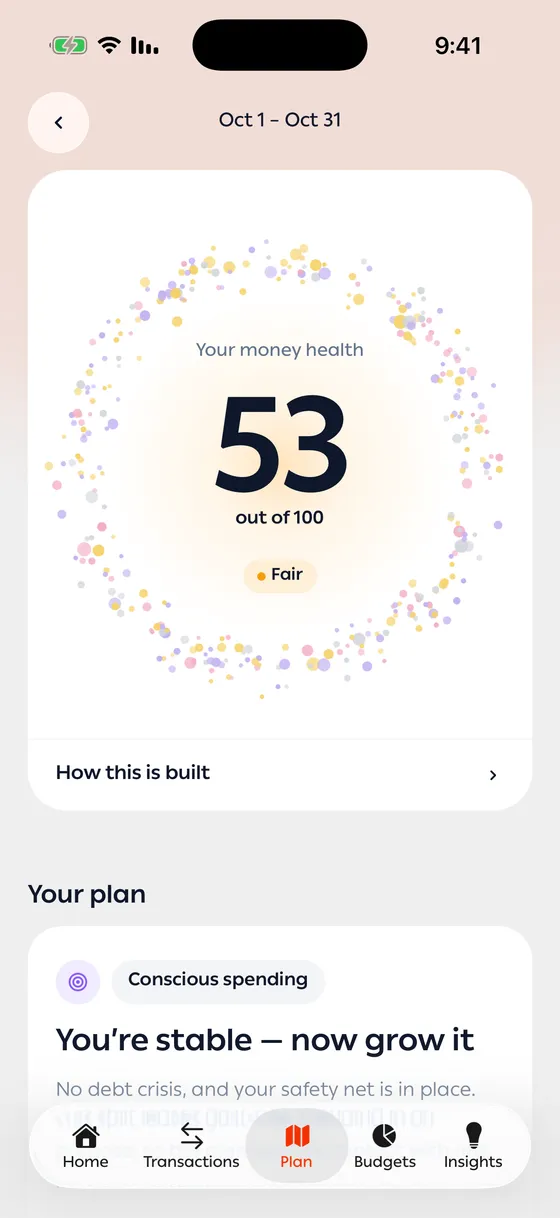
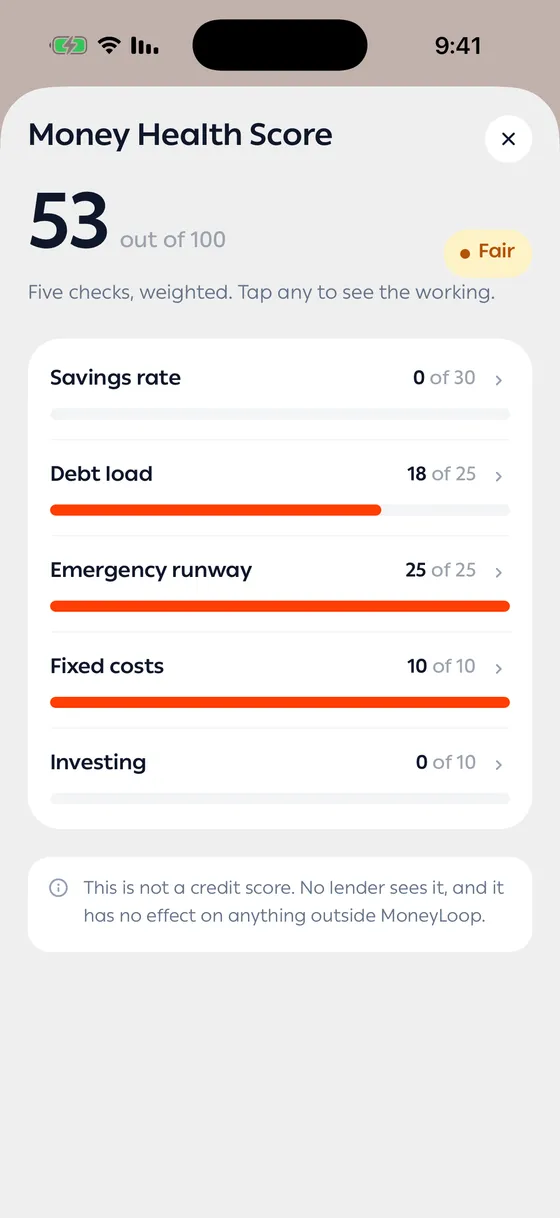
Tap How this is built to see the Money Health Score: five weighted checks — Savings rate, Debt load, Emergency runway, Fixed costs and Investing — each with the points it earned. Tap any check to see how it was worked out.
Your plan and your next steps
Section titled “Your plan and your next steps”Under the score, Your plan names the strategy chosen for you and its Target split: the share of your income for Needs, Wants, Debt and Savings.
Your next steps lists what to do, best first. The one marked Start here is worth the most.
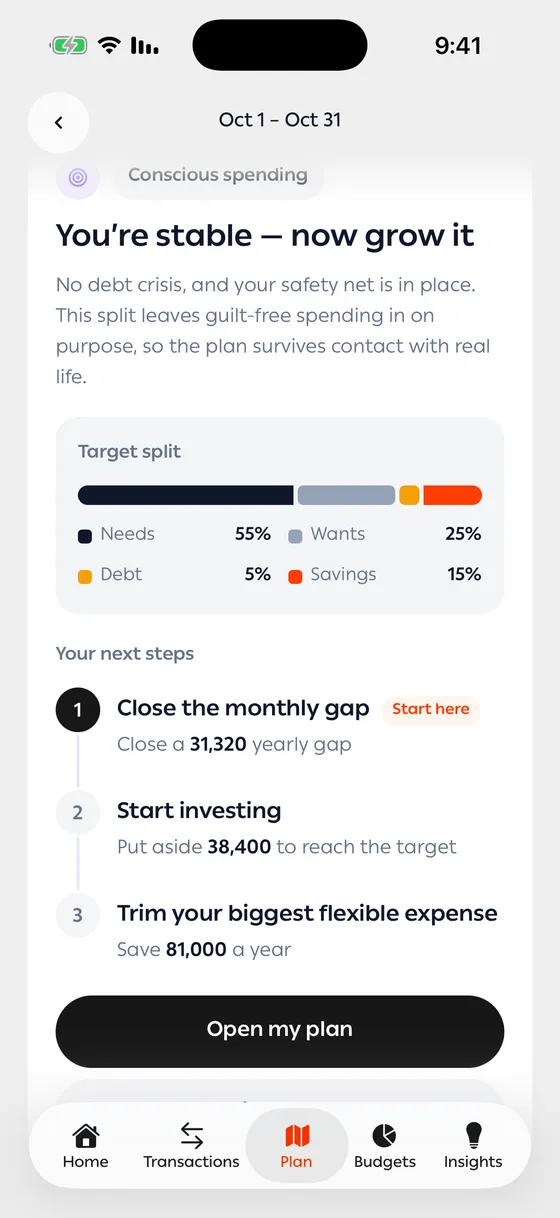
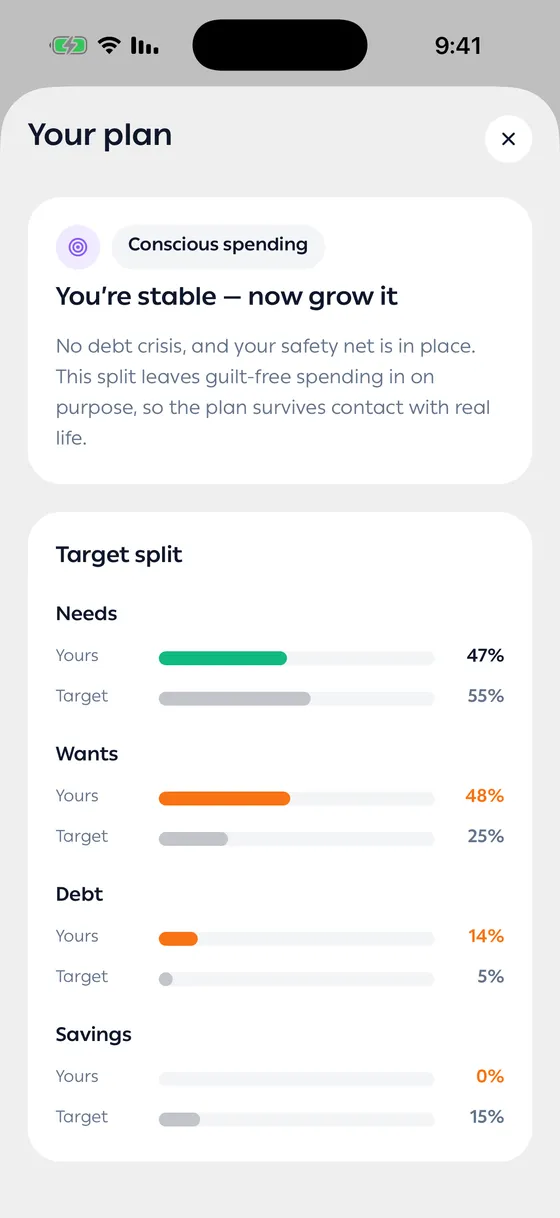
Tap Open my plan to see the full picture:
- Yours against Target for each part of the split.
- Your action plan — every step, ranked by what each is worth, with the amount it frees up or puts aside.
- How this number is worked out under each step.
- A button on most steps that takes you where to act on it, such as setting a budget or opening your subscriptions.
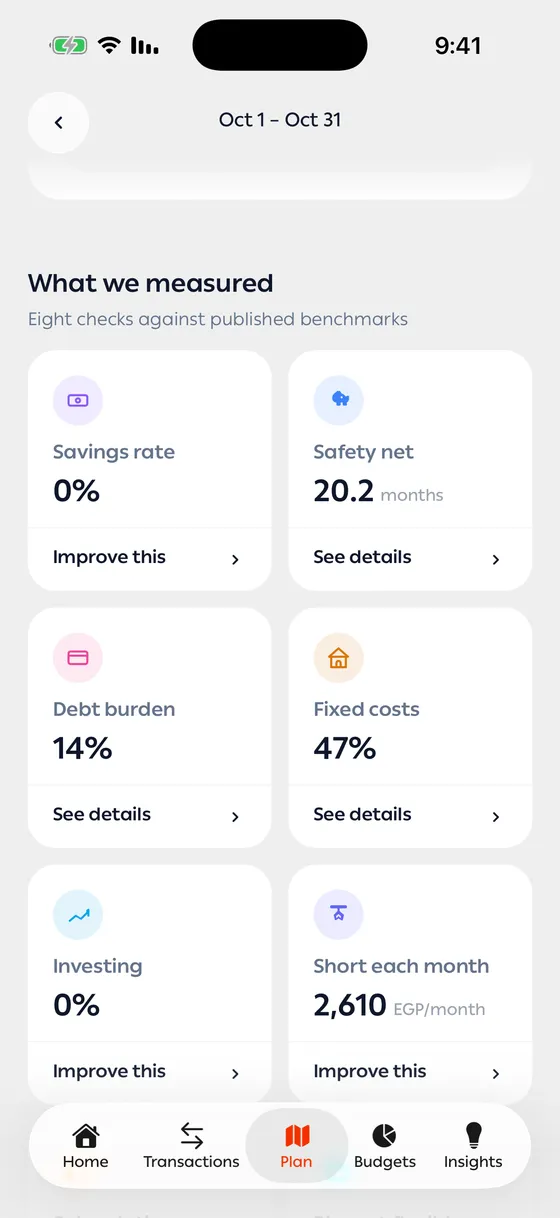
What we measured
Section titled “What we measured”Further down, What we measured lays out eight checks against published benchmarks: your safety net, savings rate, debt burden, fixed costs, investing, what’s left each month, subscriptions, and your biggest flexible expense. Each one is rated Good, Fair or Needs work.
Tap a check to see why it matters, the arithmetic, the benchmark, and what changes if you fix it. A check in good shape says See details; one that needs work says Improve this, and its details end with a button to the place where you can fix it.
Opportunities at the end of the plan picks out the biggest chances in your month — the expense that costs you most in a year, what renews without a decision, and how long your savings would last.
- The score measures where you are, not the strategy. Choosing a different strategy changes the targets, not the score — see Strategies and earlier plans.
- Start with the step marked Start here. Steps are ordered by what they’re worth, so the first one moves your month most.
- The month is still going. Pull down on your current plan to work it out again with your latest transactions; the score then shows how far it moved since earlier in the month.
Common problems
Section titled “Common problems”My score seems low — a missing income or an account you haven’t added pulls the numbers down. Add it, then pull down on your plan to work it out again.
A step doesn’t fit me — open it to see how its number was worked out. If an input is wrong, correct it in the app and pull down on your plan to refresh it.