
Debts
Limited on the free planDebts keeps the money moving between you and other people in one place: what a friend still owes you, and what you still owe. Each debt can carry a pay date and a reminder, and you record payments as the money changes hands — all at once or in parts.
Open it from the Debts card on your home screen, or tap View all on that card.
The two tabs
Section titled “The two tabs”Owed to me holds money coming back to you. I owe holds money going out. Each tab shows its own total at the top, and every debt shows its state: Not settled, Partly paid, Settled, or Overdue when the pay date has passed. A debt with payments on it shows what’s left, and the totals count only what’s left.
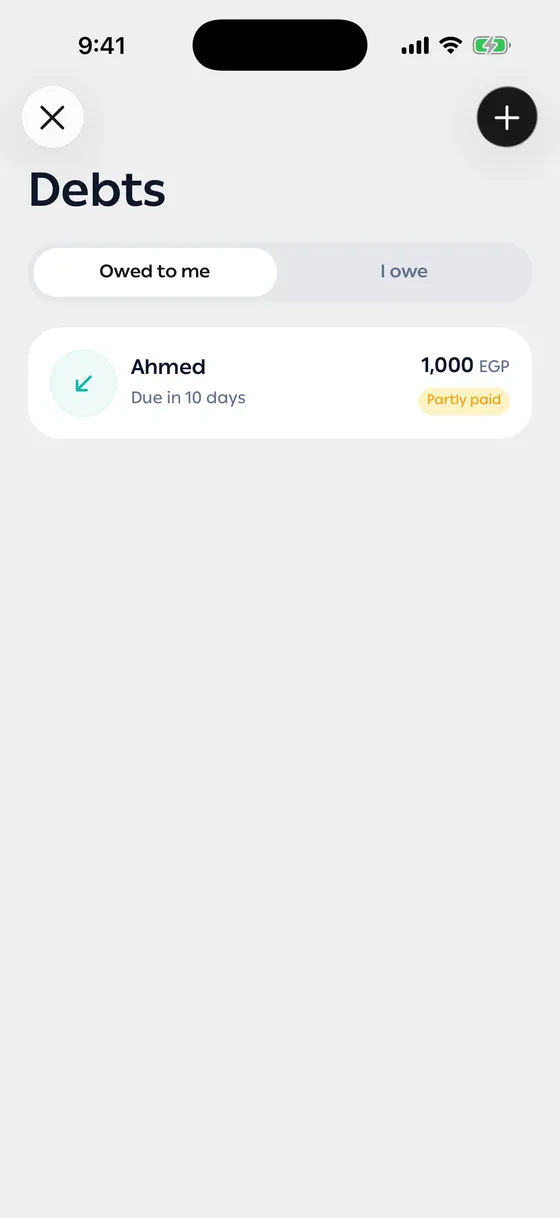
Every debt shows in the currency you added it in — on the list and on its own screen, even when that isn’t your main currency. Only the Debts card on your home screen converts the totals to your main currency.
Group debts
Section titled “Group debts”Put debts that belong together under one name — everything a friend owes you, or what you owe for one trip. Each group shows under its name, and the debts in no group follow under Other debts.
- Press and hold a debt, or tap the select button at the top of Debts.
- Tap every debt you want in the group, then tap Group.
- On New group, type a name and tap Save group. To add them to a group you already have, open Existing group, pick it, and tap Add to group.
To change a group, tap its name (the one with the pen) and choose Rename group or Ungroup. Both apply to every debt in the group, in Owed to me and I owe. To take only some debts out, select them and tap Remove from group.
Add a debt
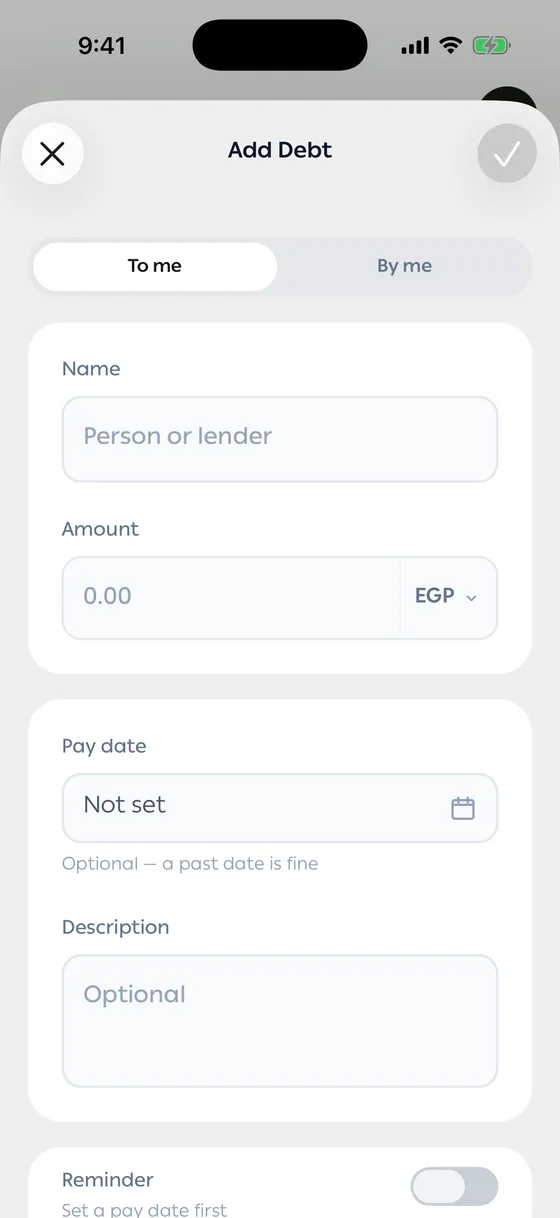
Section titled “Add a debt”- Open Debts and tap Add debt.
- Choose the direction: Owed to me or I owe.
- Enter the name of the person or lender, and the amount.
- Set a Pay date if there is one. A past date is fine.
- Turn on Reminder to get a notice before that date. The reminder needs a pay date first.
- Leave Count in net worth on to add what’s left to your net worth (or take it off, for a debt you owe). See Your net worth.
- Add a description if it helps you remember what it was for, then save.
Record a payment
Section titled “Record a payment”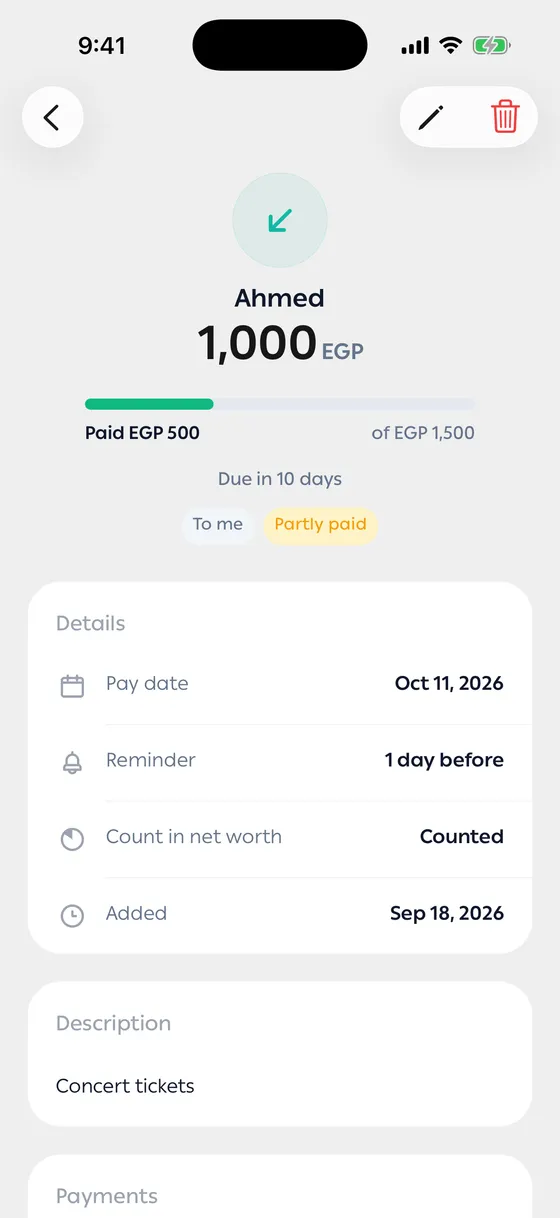
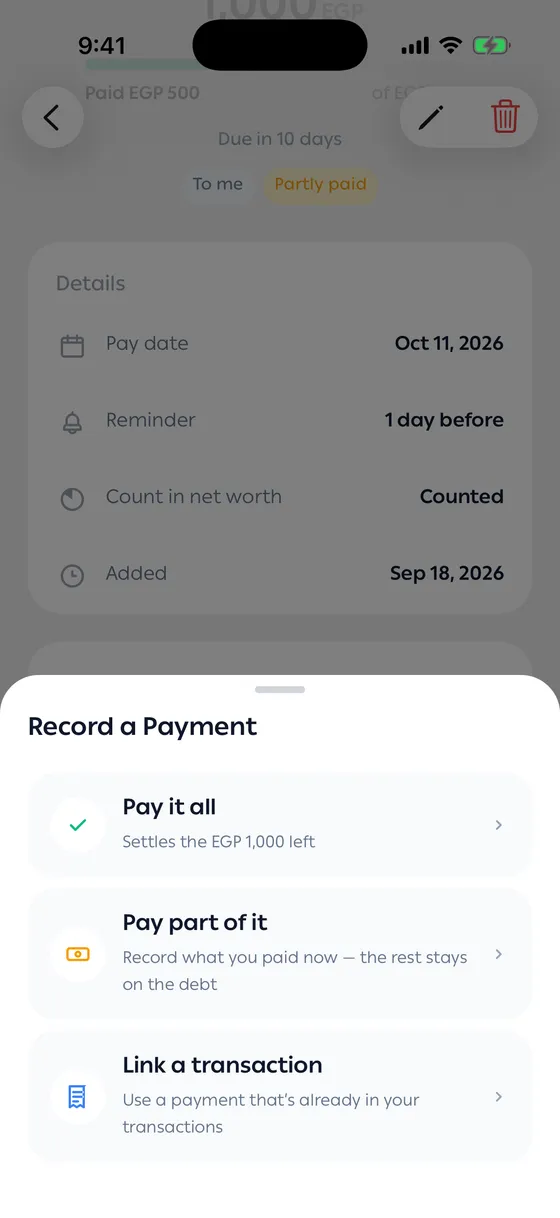
Open the debt and tap Pay, then choose:
- Pay it all — settles everything that’s left.
- Pay part of it — enter the Amount paid. You see what’s left after it before you tap Record my payment, and the rest stays on the debt as Partly paid.
- Link a transaction — use a payment that’s already in your transactions. See Linking a debt to a transaction.
Every payment appears under Payments on the debt, newest first, marked Recorded by you or Linked transaction. Tap a linked one to open its transaction, or delete a payment to put its amount back on the debt.
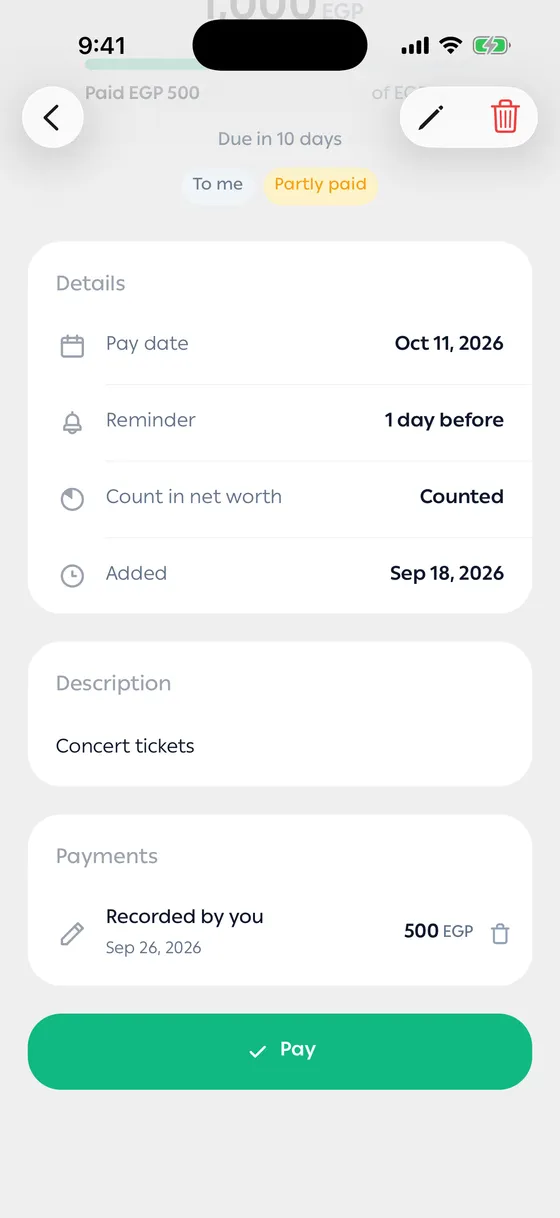
When the payments cover the whole amount, the debt moves to Settled and its reminder stops. Tap Mark as not settled to reopen it — the payment that paid it off is removed, so what it covered is owed again.
When the amount doesn’t match
Section titled “When the amount doesn’t match”If what you pay isn’t what’s left, the app asks what you meant:
- Less than what’s left — record it as a partial payment, or count the debt as fully paid and let the rest go.
- More than what’s left — settle it and record the extra as a new debt the other way round, or settle it and ignore the extra.
- A debt is not a transaction, and neither is a payment you record by hand. Your balance only moves with real transactions — link one when there is one.
- Once a payment is recorded, the debt’s currency can’t change.
- Use the description for what the money was for. The name field is just the person.
- Keep a pay date on anything you want to be reminded about. No date means no reminder.
Common problems
Section titled “Common problems”The reminder never arrived — reminders come under Features and reminders. Check that the switch is on in Settings, and that notifications are allowed for MoneyLoop on your phone.
I settled the wrong debt — open it and tap Mark as not settled. If it was linked to a transaction, the link is removed too.
I recorded the wrong amount — delete that payment from Payments on the debt and record it again.
A debt is blurred — that’s the free plan showing only your oldest debt.