
Monthly living costs
PremiumYour spending comes in two kinds: things that repeat the same way every month, and things that move with the month. This report separates them.
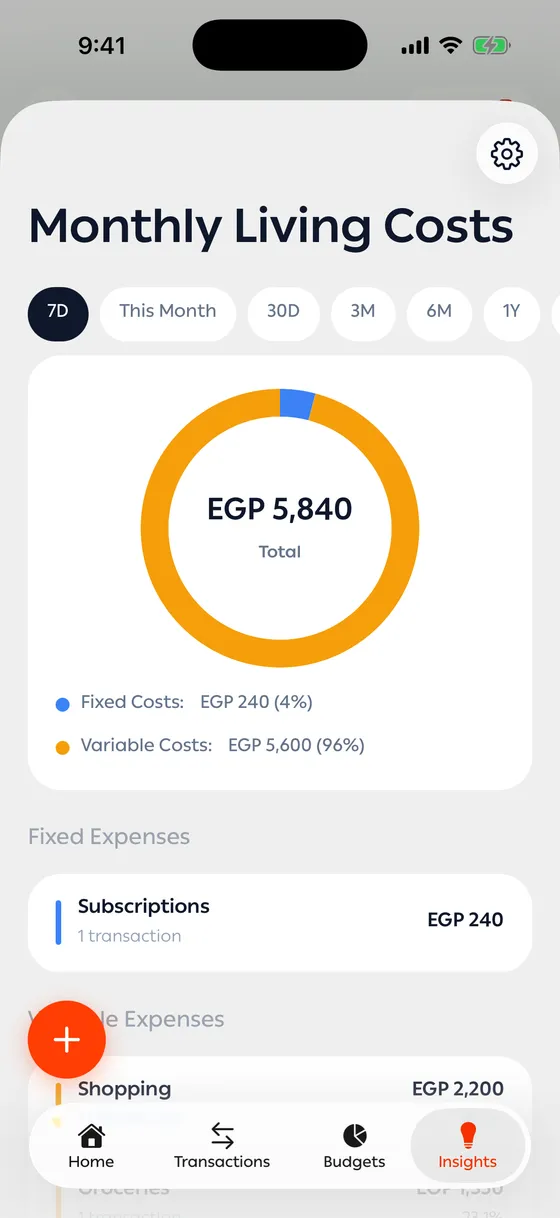
What you see
Section titled “What you see”- Fixed costs against variable costs, with a chart showing each side’s share.
- Essential spending ratio — the fixed side as a share of your total spending.
- A breakdown by category under each side.
What counts as fixed
Section titled “What counts as fixed”By default, the categories that by their nature repeat every month at roughly the same size — bills and utilities, subscriptions, and education costs. Everything else counts as variable.
You can change that split to match your life — rent, installments or your own categories can count as fixed:
- In the report, tap the settings icon at the top.
- In Fixed and Variable Expenses, drag a category to the other group, or tap it to move it.
- Close the sheet. The report updates straight away, and your choice is kept.
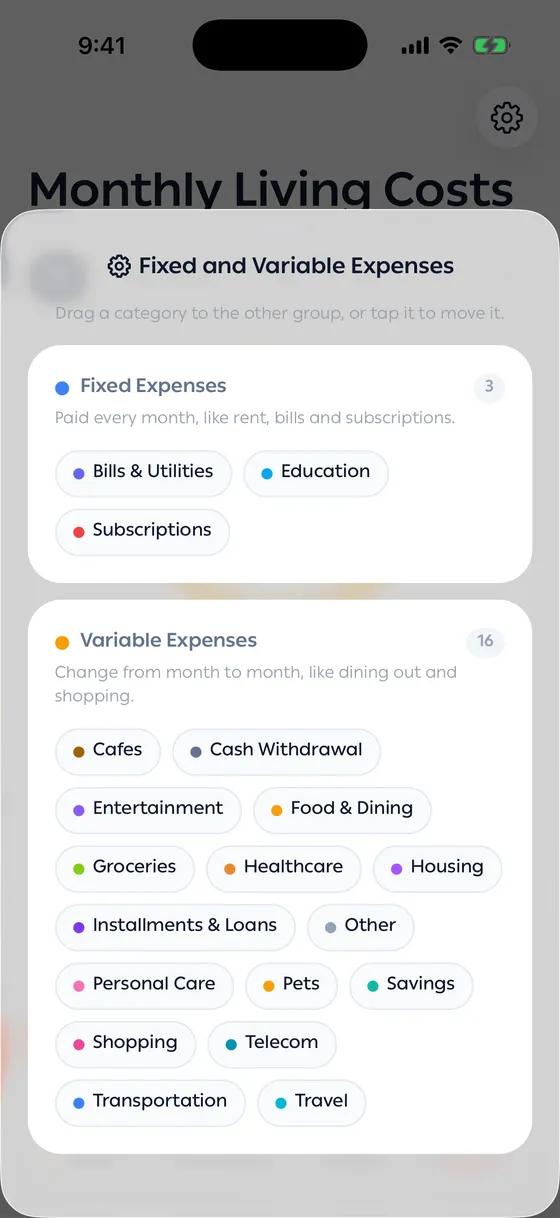
Tap Reset to default to go back to the original split.
Why the number matters
Section titled “Why the number matters”The fixed side is the smallest amount you need to bring in each month for life to keep running. Once you know it, you know how much has to be there in a month when income is thin.
- A very high essential ratio means little room to move. Cutting one fixed commitment keeps paying you back every month.
- A very low ratio alongside heavy spending means your money goes to optional things — which is the easier kind to change.
Common problems
Section titled “Common problems”Everything shows as variable — the transactions have no category. Categorise them first.
A cost I think of as fixed shows as variable — move its category to the fixed group from the settings icon.
The number jumps every month — the period is too short. Pick 6M or 1Y.