
Transfers between your accounts
Limited on the free planWhen you move money between two of your own accounts, you haven’t spent anything — it just changed places. That’s why a transfer is its own type, neither expense nor income.
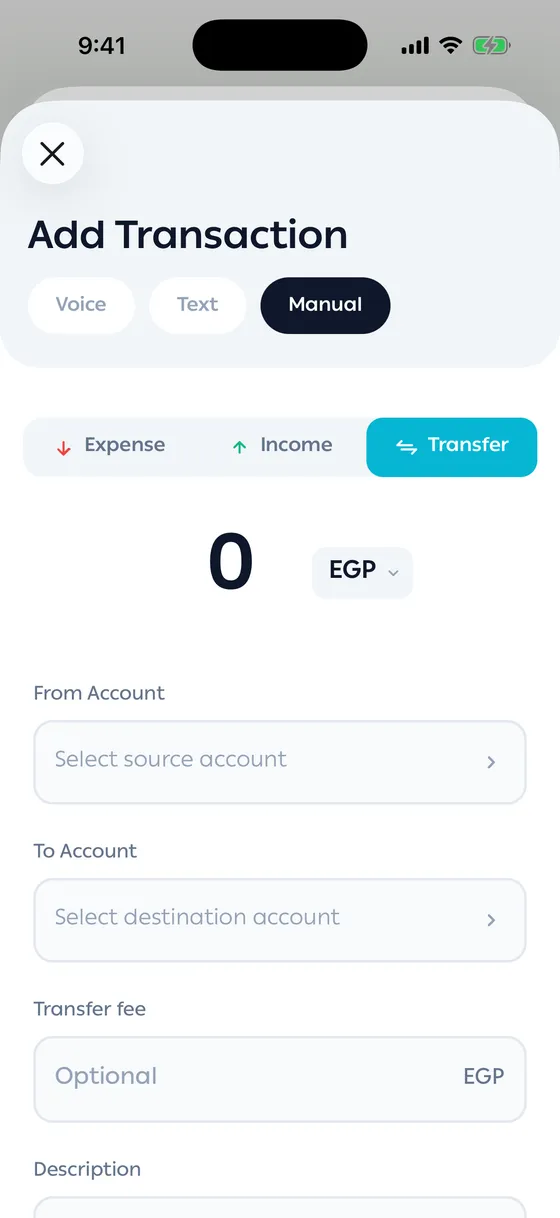
Adding a transfer
Section titled “Adding a transfer”- Open the add screen and choose the Transfer type.
- Set From Account and To Account.
- Enter the amount.
- If your bank charged you, put it in Transfer fee and choose which account it comes out of.
- Save.
That creates two linked halves: one out of an account, one into the other. Open either and you see both.
A fee counts as real spending, because that money really did leave. You can take it from the sending account or from a different one.
If one of your accounts is always charged an instant-transfer fee, the app can add it for you. See Instant transfer fees.
Deleting
Section titled “Deleting”Deleting either half deletes the whole transfer. That’s deliberate — half a transfer means nothing.
- A cash withdrawal isn’t a transfer. Leave it as a withdrawal and let the app credit your Cash. See Cash withdrawals.
- Money sent to someone else isn’t a transfer — that’s spending.
Common problems
Section titled “Common problems”My transfer shows as spending — it was recorded with the wrong type, usually from a message. Open it, switch the type to transfer, and set both accounts.
The balance is short after a transfer — a fee was charged. Look for it on the transaction.