
Notifications
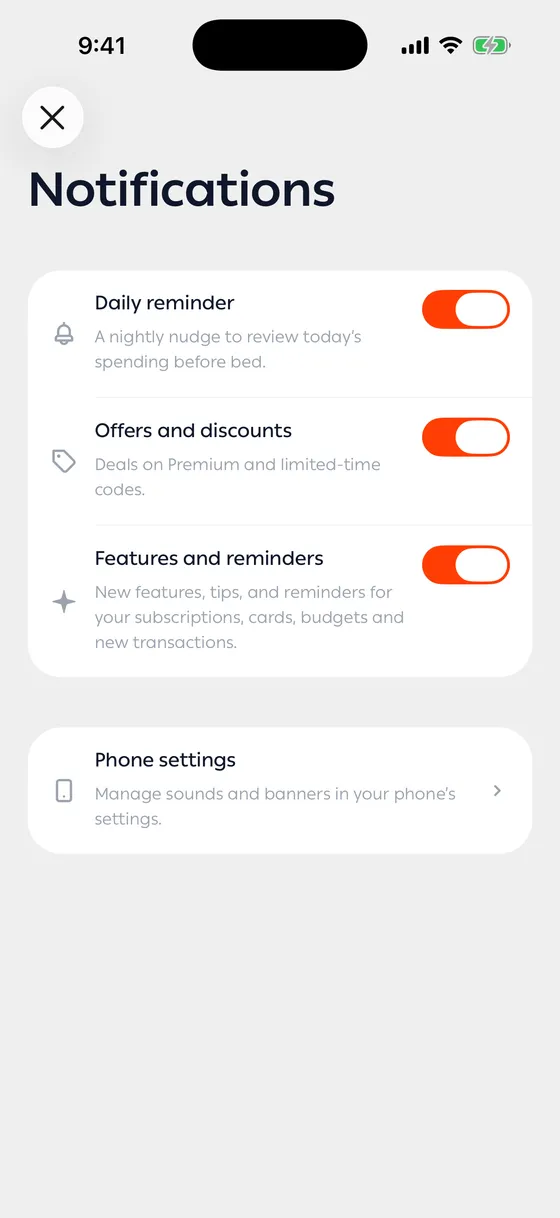
Under Account → Notifications you decide what reaches you and what doesn’t.
The three kinds
Section titled “The three kinds”| Kind | What it sends |
|---|---|
| Daily reminder | One nightly nudge to review today’s spending. |
| Offers and discounts | Deals on Premium and limited-time codes. |
| Features and reminders | New features, tips, and reminders for your subscriptions, cards, budgets and new transactions. |
Each is on from the start, and turning one off leaves the other two alone.
If notifications are off on your phone
Section titled “If notifications are off on your phone”You’ll see a line telling you notifications are off for MoneyLoop in your phone’s settings, with a button that takes you there. While they’re off on the phone, the switches in the app make no difference.
Sounds and banners
Section titled “Sounds and banners”Those live in your phone’s settings, not here. A Phone settings row takes you straight to the right place.
- Before turning everything off, turn off one kind and see. Most annoyance comes from one of them.
- Reminders tied to things you set up — a renewal date, a budget — have their own switches on their own pages too.
Common problems
Section titled “Common problems”Nothing arrives — check that notifications are allowed for MoneyLoop in your phone settings.
A change won’t save — try again; the app needs a connection to store your choice.