
Cash withdrawals
When you take money out of a machine, it hasn’t gone anywhere — it moved from your bank to your pocket. But if the app counts it as spending, your Cash balance stays at zero while you’re walking around with money.
The setting
Section titled “The setting”Open the account you withdraw from and scroll to Add cash withdrawals to Cash.
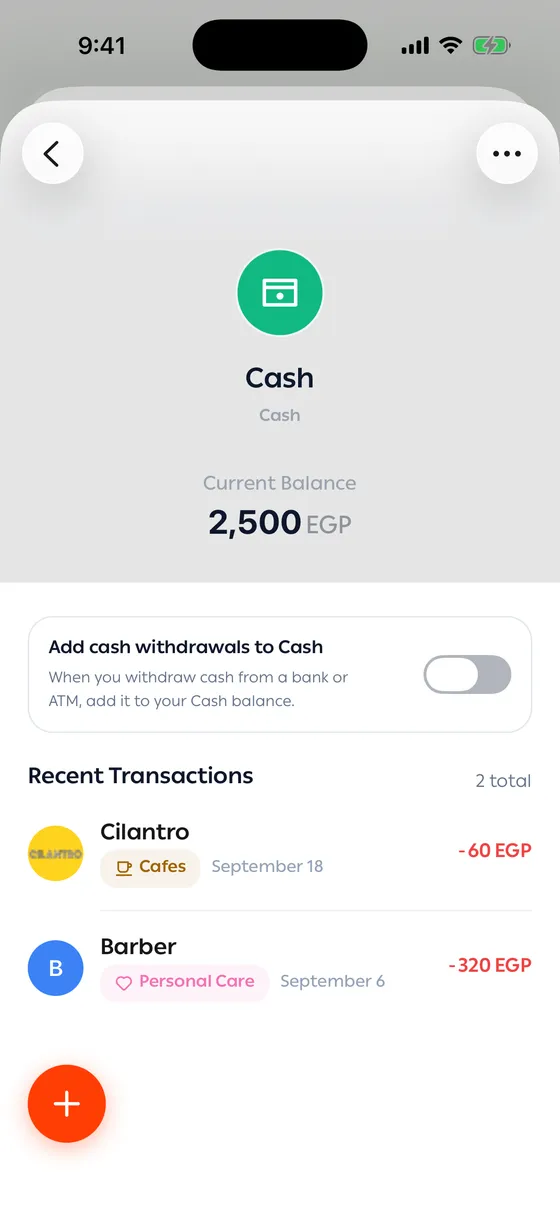
With it on, every withdrawal from that account is added to your Cash balance for the same amount. The bank balance goes down, Cash goes up, and your total stays where it was — which is right, because you still have the money.
Spending the cash
Section titled “Spending the cash”From then on, when you spend cash, record the transaction against the Cash account. Your Cash balance then falls the way it really does.
- If you don’t record cash as you spend it, leave this off — a withdrawal counted as spending is less wrong than a large Cash balance that never moves.
- Cash is the most common reason a balance drifts. See Correcting a balance.
Common problems
Section titled “Common problems”My Cash balance keeps growing — withdrawals are being recorded but the spending isn’t. Record your cash spending, or set the Cash balance yourself.
I withdrew and Cash didn’t change — the setting is off for that account, or the transaction was recorded as something other than a cash withdrawal. Open it and change its category.