
Strategies and earlier plans
Limited on the free planEvery plan follows a strategy: a way of splitting your income between needs, wants, debt and savings. MoneyLoop picks one from your numbers, and you can choose another.
The four strategies
Section titled “The four strategies”| Strategy | When it fits |
|---|---|
| Debt first | When repayments pass 50% of income |
| Safety net first | When savings fall short of your target cover |
| Zero-based budget | When income is variable or self-employed |
| Conscious spending | When there’s no debt crisis and the safety net is there |
The one picked for you is marked Recommended, and your plan explains why it was chosen.
Changing the strategy
Section titled “Changing the strategy”- On your plan, tap Edit my plan.
- Pick a strategy. The one in use is marked Your current plan.
- Tap Use this plan.
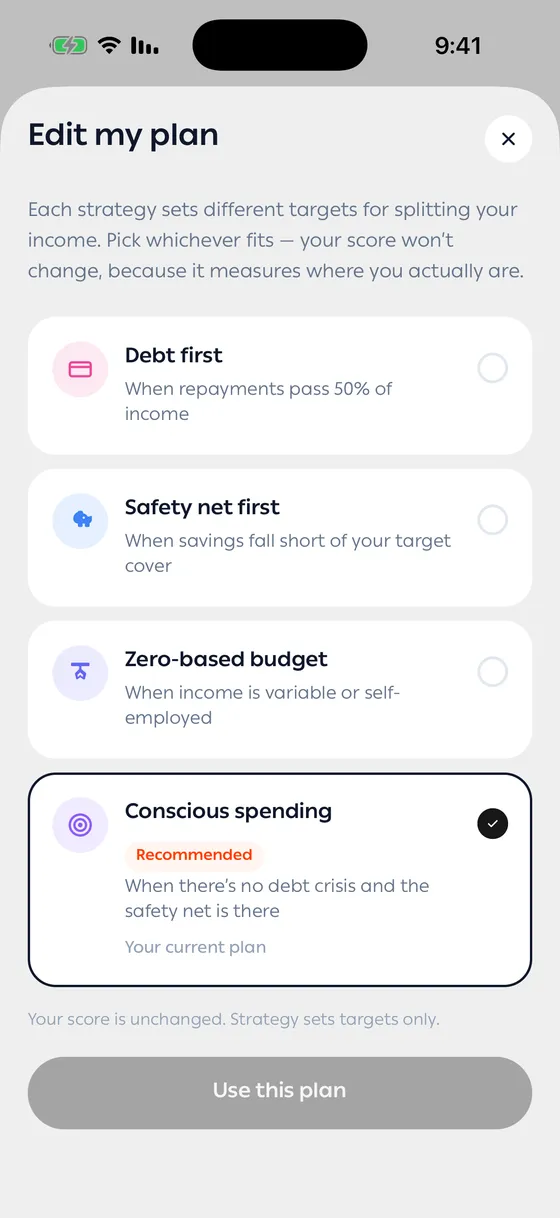
Your target split and your steps change to match. Your score doesn’t: it measures where you are, and a strategy only sets targets. When you choose something other than the recommendation, your plan says what was recommended and why. To go back, pick the strategy marked Recommended.
Your plans
Section titled “Your plans”The Plan tab opens on Your plans. Your current plan is at the top, marked Current, with its score, level and what’s left each month. See my plan opens it.
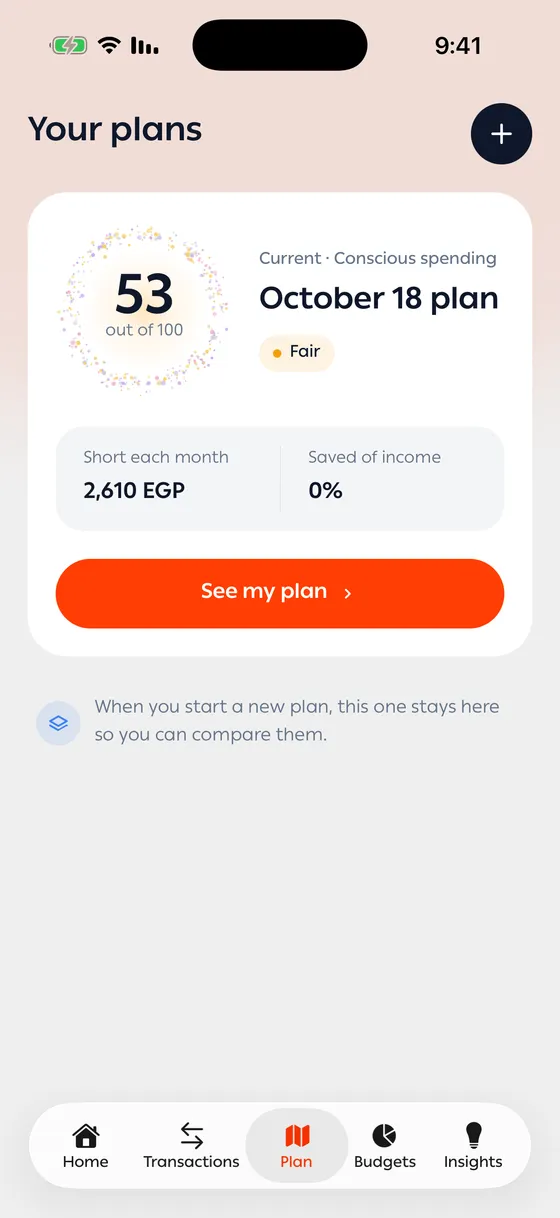
When you start a new plan, the one before it moves to Earlier plans, so you can compare them. Each earlier plan shows how far its score sits from your plan now. Tap one to open it.
Earlier plans are kept as they were: you can read them, but not change their strategy or refresh them.
Starting a new plan
Section titled “Starting a new plan”Tap + beside the Your plans title. You go through the same questions, with the answers from your last plan already in place, so you only change what’s different.
- Start a new plan when something big changes — a new job, a loan paid off, a move. For day-to-day changes, pull down on your current plan to refresh it instead.
- Try a different strategy freely. Your score stays the same, so you can compare targets without losing anything.
Common problems
Section titled “Common problems”I can’t find Edit my plan — you’re looking at an earlier plan. Only your current plan can change strategy.
Starting a new plan asks for Premium — your first plan is free; every one after it is part of Premium.