
Help & support
Under Account → Help & Support.
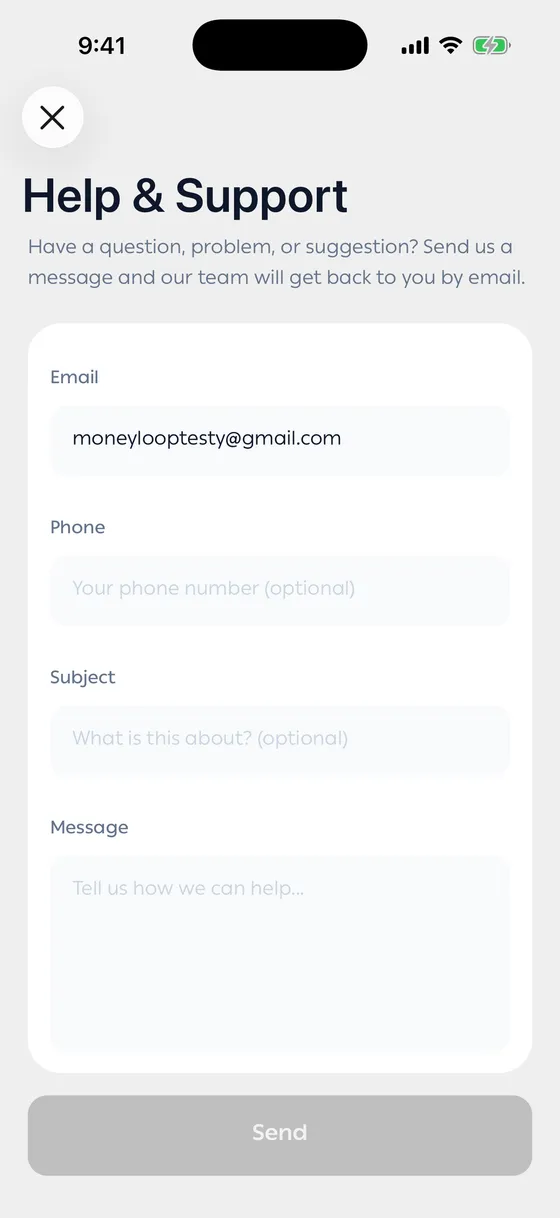
Sending a message
Section titled “Sending a message”- Enter the email we should reply to.
- Phone is optional.
- Subject is optional too, but it helps us get to your problem faster.
- Write your message and tell us how we can help.
- Tap Send.
The reply comes to the address you gave.
Other pages in the same place
Section titled “Other pages in the same place”- About Money Loop — what the app does and who’s behind it.
- Terms of Service
- Privacy Policy and Usage — how your data is stored and what it’s used for.
Joining the community
Section titled “Joining the community”A row takes you to our community on Telegram, where you’ll find other people’s experiences and our latest updates as they land.
- Before writing, have a look through the FAQ. Most questions are answered there.
- If it’s about one particular transaction, tell us its date.
Common problems
Section titled “Common problems”The message won’t send — it needs a connection. Try again.
I sent one and got no reply — check your junk folder.